Get real-time updates from Tempus Resource and Tempus Portfolio, delivered directly into your Slack workspace. Whether it’s timesheet reminders, new resource requests, project updates, or Scribe mentions—you’ll never miss a beat.
How to Get Started
Install the Slack App
Click the button below to install the Tempus Slack App for your workspace.
Set Up Your Subscriptions in Tempus
To receive notifications, you’ll also need to configure your Slack subscriptions in Tempus Resource.
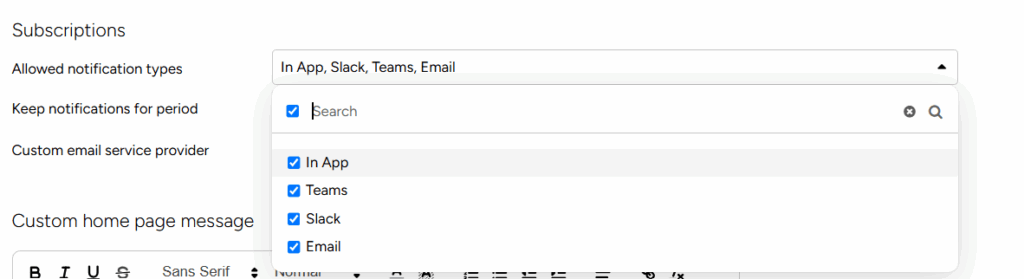
In Tempus, make sure that Slack is configured within General Settings | Miscellaneous | Allowed Notification Types, or check with your Tempus Administrator if this is enable
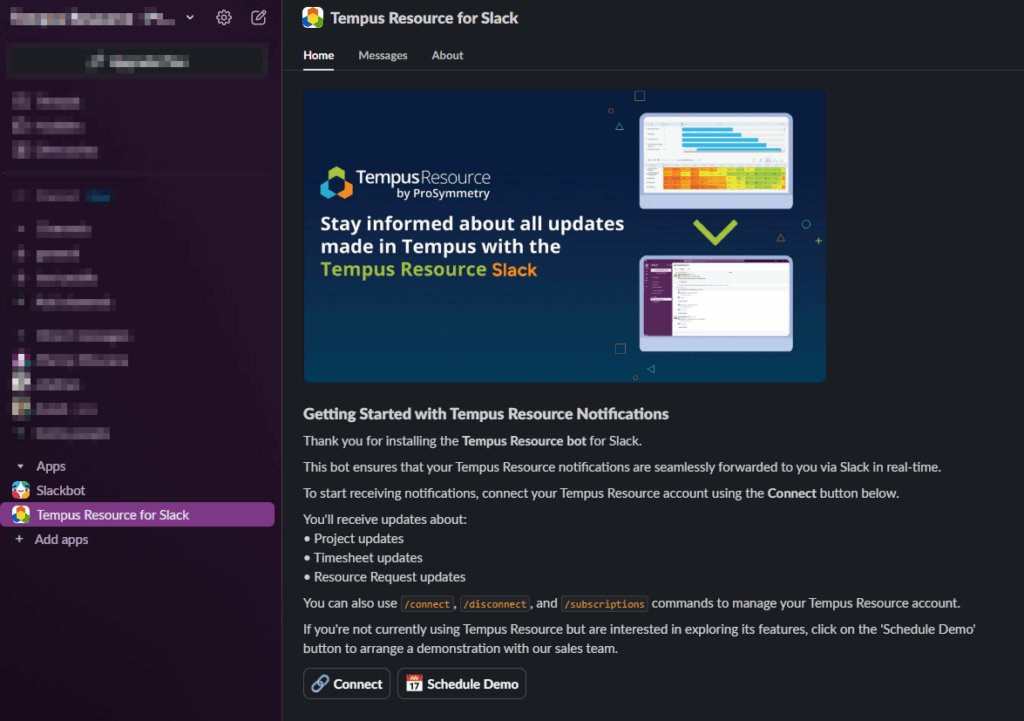
Navigate to Apps within Slack and click on Add Apps. Then, search for “Tempus Resource” and install it.
Once the app is installed, you will see an information tab. You can navigate to messages by clicking the Messages tab. Alternatively, you can click the “Connect” button at the end of the page.
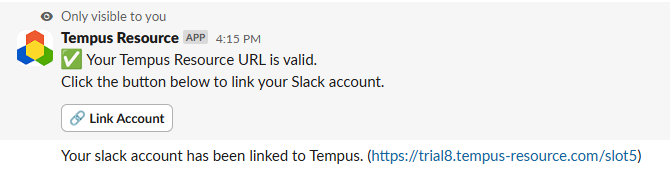
If the URL is valid, a new message will appear with a “Link Account” button. Select “Link Account” and log into Tempus with your Tempus credentials.
Once you have linked your account successfully, you will receive a notification “Your Slack account has been linked to Tempus. (https://yourdomain.tempus-resource.com/sg)”
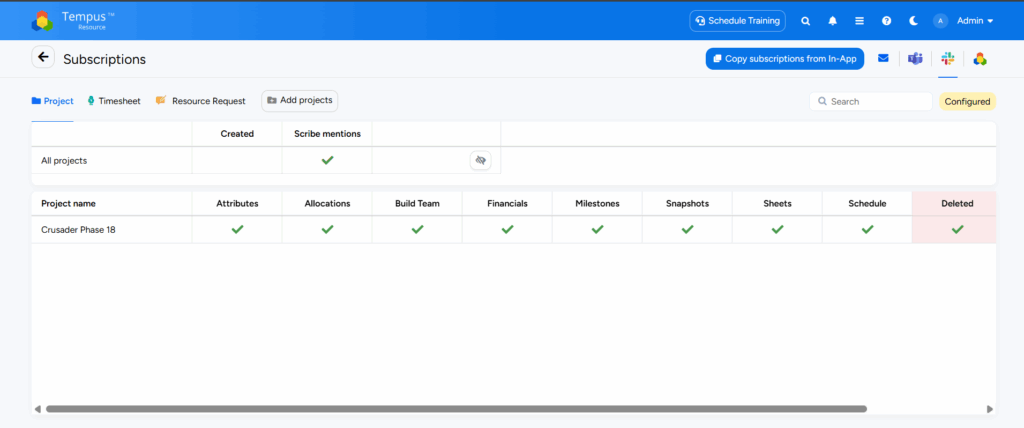
You can check and configure your subscriptions by typing “/subscriptions”. This will provide you with a link to manage your Subscriptions within Tempus
Within the Slack subscriptions area, subscribe to any of the areas you would like to receive Slack notifications for, including Projects, Timesheets, or Resource Requests.